





AYNA Permit System
A government platform that issues road transport permits and licenses online. I owned its UX at AzSoftware.
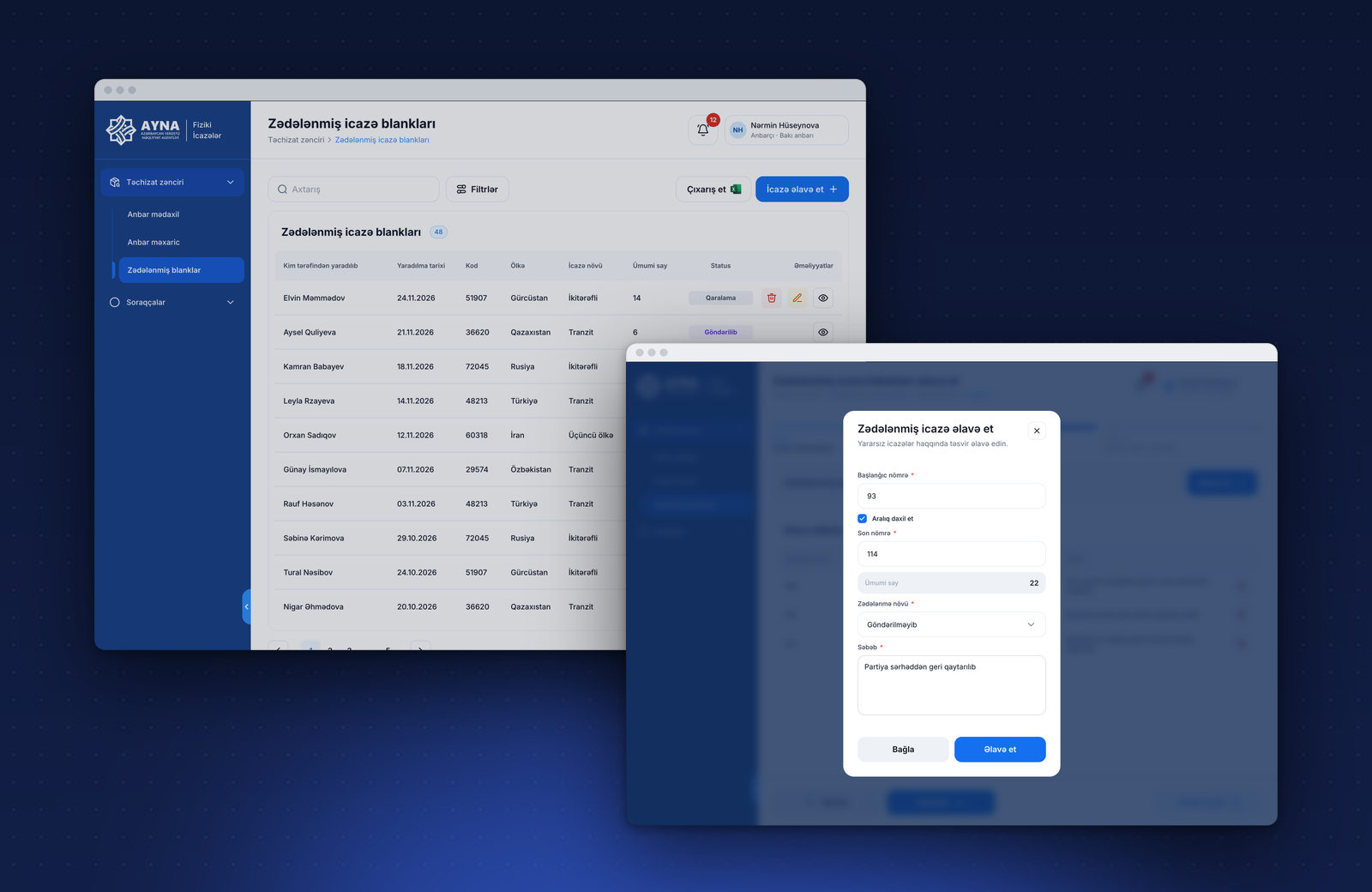
- Problem
- Road transport permits ran on paper, and five roles each needed something different from the system
- What I did
- Owned the UX: flows for all five roles, the hardest workflows, and a new token-based design system
- Result
- In production with ~10,000 users
- Role
- Lead Product Designer, UX owner
- Company
- AzSoftware
- Client
- AYNA
- Status
- In production
- Design team
- Rufat Gadirli, Shahin Mammadov
Reading the brief
The project arrived as a BRD and an FRD. I read both. All of it. Then I turned them into user flows and scenarios for 5 user roles, each with its own permissions and its own idea of what the system is for.
The parts nobody wanted
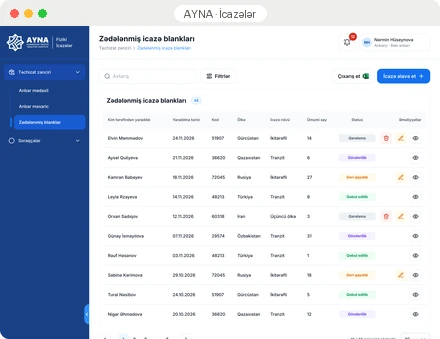
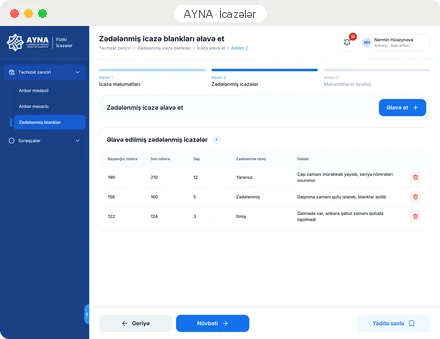
I took the workflows with the most edge cases: damaged permits, quota registration, stock issuance, and the data-heavy dashboards for the people running it all. The four flows below follow one of them end to end: logging damaged permit forms. It is the AYNA dashboard rebuilt in code, with fictional data, played back.
Four statuses, one glance
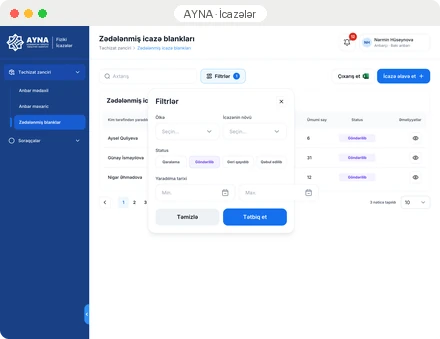
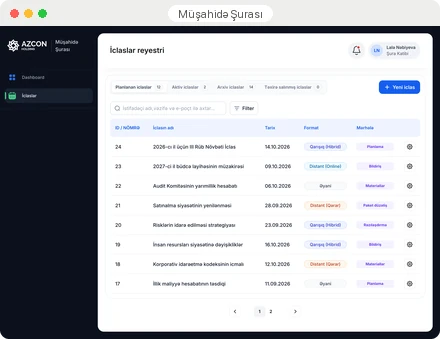
Every damaged-permit entry moves through four states: draft, sent, returned and accepted. Each row carries its status as a coloured chip, so a warehouse keeper sees what needs attention without opening anything. Filters and a code search narrow the list to the one entry you are after, and clearing them is one click.
Zədələnmiş icazə blankları
 İcazə əlavə et
Addım 1
Filtrlər
Zədələnmiş icazə blankları
48


 Qırmızı ilə işarə edilmiş xanalar vacib doldurulmalı xanalardır!
Əlavə edilmiş zədələnmiş icazələr
3İcazə məlumatları

Əlavə edilmiş zədələnmiş icazələr
 Zədələnmiş icazələr əlavə edildi
Zədələnmiş icazə əlavə et


Təsdiq et
Step 1: one field to fill
Logging damaged forms starts with the permit code. Pick it, and the country, permit type, kind and deficit fill themselves from the quota it belongs to. Asking people to retype what the system already knows is how typos end up in a government database.
Zədələnmiş icazə blankları
İcazə əlavə et
Addım 1
Filtrlər
Zədələnmiş icazə blankları
48Qırmızı ilə işarə edilmiş xanalar vacib doldurulmalı xanalardır!Əlavə edilmiş zədələnmiş icazələr
3İcazə məlumatları
Əlavə edilmiş zədələnmiş icazələr
Zədələnmiş icazələr əlavə edildi
Zədələnmiş icazə əlavə et
Təsdiq et
Step 2: ranges, counted for you
Permit forms are numbered, and they get damaged in batches. So the modal takes a first and a last number and does the arithmetic live: end minus start plus one. A checkbox switches between a range and a single form. Every entry gets a damage type and a reason, slides into the table, and the badge keeps count.
Zədələnmiş icazə blankları
İcazə əlavə et
Addım 1
Filtrlər
Zədələnmiş icazə blankları
48Qırmızı ilə işarə edilmiş xanalar vacib doldurulmalı xanalardır!Əlavə edilmiş zədələnmiş icazələr
3İcazə məlumatları
Əlavə edilmiş zədələnmiş icazələr
Zədələnmiş icazələr əlavə edildi
Zədələnmiş icazə əlavə et
Təsdiq et
Step 3: check, confirm, send
The summary isn’t a separate form to fill: it is built from the same data as step 2, with a total at the bottom. An attestation box has to be ticked before Təsdiq et wakes up, then one last confirmation. The new entry lands at the top of the list as Göndərilib.
Zədələnmiş icazə blankları
İcazə əlavə et
Addım 1
Filtrlər
Zədələnmiş icazə blankları
48Qırmızı ilə işarə edilmiş xanalar vacib doldurulmalı xanalardır!Əlavə edilmiş zədələnmiş icazələr
3İcazə məlumatları
Əlavə edilmiş zədələnmiş icazələr
Zədələnmiş icazələr əlavə edildi
Zədələnmiş icazə əlavə et
Təsdiq et
A system under the system
The old design system had seen better days, so I rebuilt it from scratch on design tokens and handed it over to a designer I supervised.